Open the recipe
Choose a saved recipe and scroll down to the ingredients.
Switch between metric and US measurements right in a saved recipe. See ingredients in units that suit your kitchen, from cups and ounces to milliliters and grams.
Download Receptly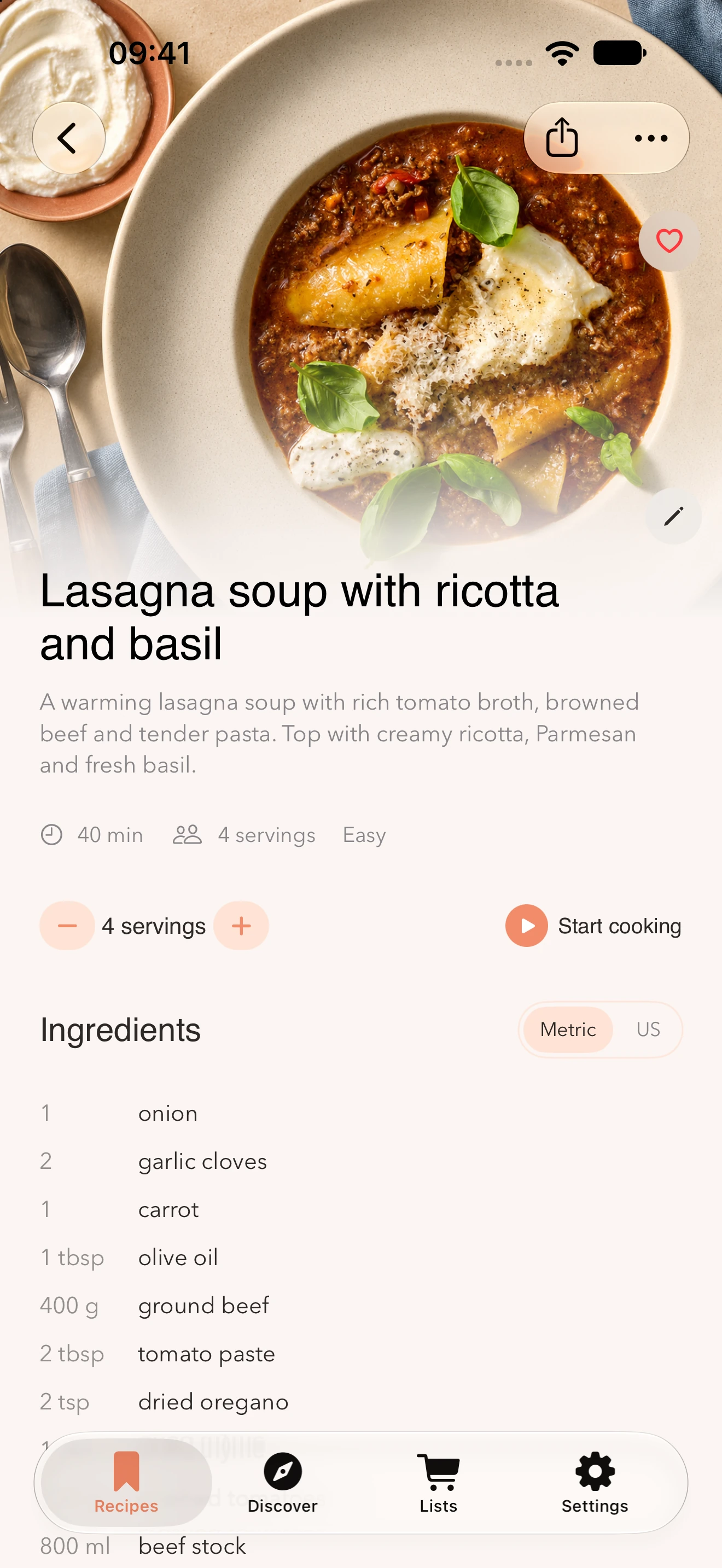
Choose a saved recipe and scroll down to the ingredients.
Tap the measurement system you want to use next to the Ingredients heading.
Read through the ingredients before cooking. Check the original recipe if a measurement is unclear.
A cup of flour and a cup of sugar fill the same volume but weigh different amounts. A cup has no single equivalent in grams.
If the recipe gives an exact weight, it is often the best measurement to follow. Package sizes can also differ between countries.
Open the recipe and look for Metric and US next to the ingredients. Tap the system you want to use.
Yes. When the amount and unit are specified, Receptly can show common US units of volume and weight in metric units.
Conversions may give an approximate amount that is easier to use. Check the original recipe when precision matters.
Yes. You can choose the measurement system in the recipe view on both iPhone and iPad.
Save a recipe you want to try and choose your measurement system next to the ingredients.
Download Receptly